I thought ChatGPT’s new Stickers feature sounded like peak AI slop — then I made a pack I actually wanted to use | Daily Reports Online
I have developed a fairly strong allergy to the AI slop filling some corners of the internet. It’s not that I haven’t seen impressive demonstrations of what AI models can do visually; it’s just that the baseline creations made by most people are execrable at best and blandly monotonous when they aren’t horrifying or malevolent.
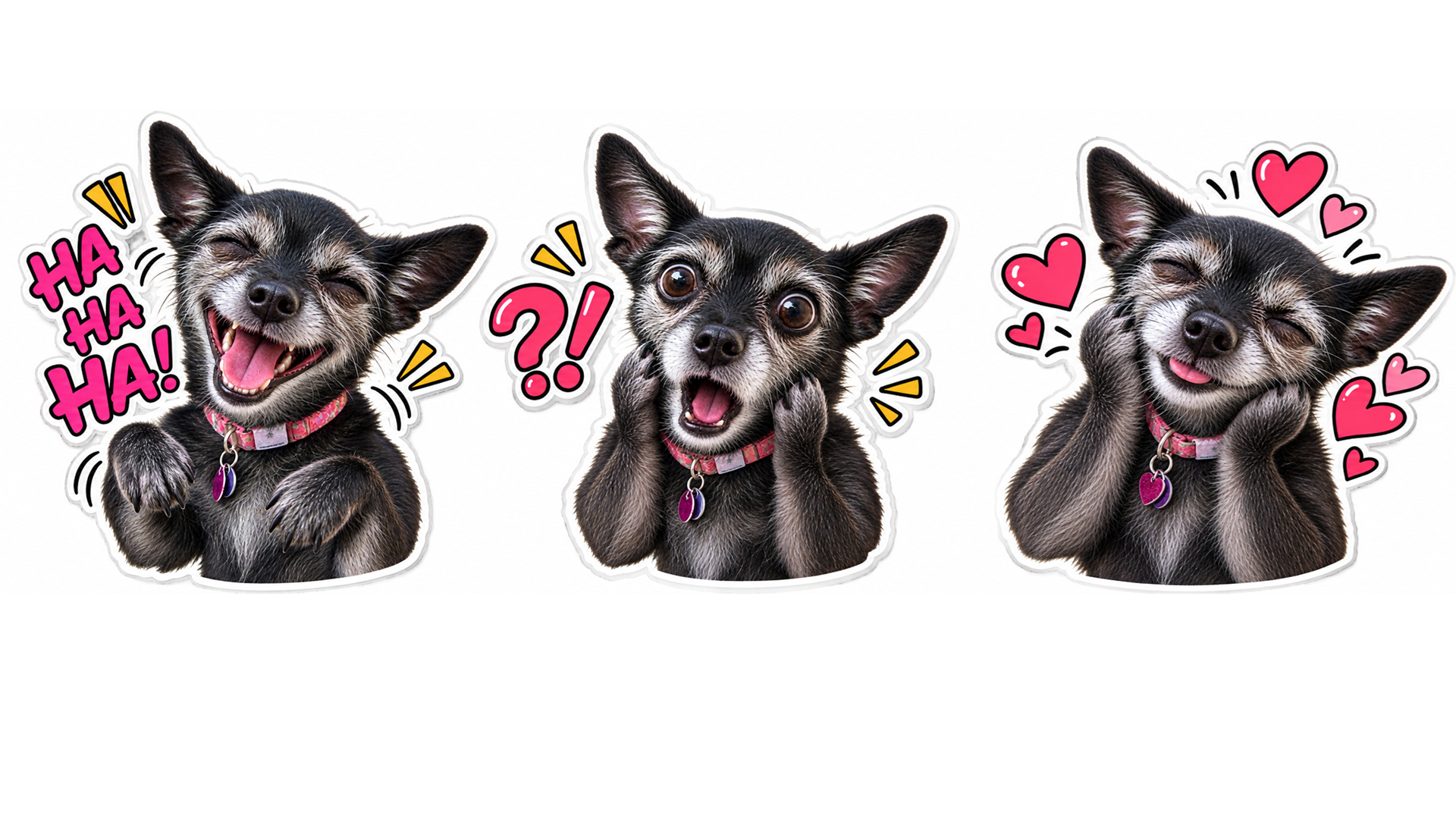
ChatGPT’s new Stickers feature didn’t immediately strike me as a chance to change my opinion, but the option to import the results into iMessage and WhatsApp was interesting enough to make it worth experimenting with. I went with a photo of my chihuahua and asked for a few options of stickers based on her. While I am obviously biased about her, the results actually looked like images I would not be ashamed to use in a conversation with someone.
Sticker emotions
ChatGPT’s Stickers tool is in the platform’s Image section only on the ChatGPT mobile app. Open the main + menu, pick Images, then click Stickers, which is currently the first option on the long list of templates. ChatGPT has a prompt ready to go, but you can adjust it for different styles or add different emojis to the design. Once the results are ready, the “Add to chat apps” button appears, and ChatGPT can send them directly to your WhatsApp or iMessage sticker library.
Latest Videos FromTechRadar
The source photograph makes a noticeable difference. Choose one with the animal or person clearly separated from the background, good light on the face, and important features fully visible. A dark dog against a dark couch did not work well. And be sure to mention any details you want to make sure are highlighted in the prompt.
At first I asked for photographic stickers to see how well it did at consistency. While not perfect, the best stickers preserved the details that made my dog recognizable. Her expressions became exaggerated, but she remained the same dog. Even when I wrote some of the prompts for new stickers from scratch, ChatGPT managed to keep my dog looking like a (sillier) version of herself.
Cartoon canine

After testing the more realistic stickers, I tried pushing the feature toward its cartoonier options. The chibi-esque result is fun in its own way. The resemblance became looser, particularly around her coloring and age, but the emotional range improved with the flexibility.
Just specify one illustration style and list any specific reactions you want.ChatGPT may still reinterpret a few physical details, but consistency matters more than perfect accuracy once your dog is wearing sunglasses and wondering whether she is cool yet.
AI slop is still bad, and the way it buries useful information beneath a mountain of disposable and often problematic images is an issue that has to be addressed. But when used for something like personalized WhatsApp stickers, AI tools can be attractive. The best use of generative AI images may be smaller and more personal, not a content factory, but a way to add a little fun to online chat.

Follow TechRadar on Google News and add us as a preferred source to get our expert news, reviews, and opinion in your feeds.

The best business laptops for all budgets