Our top 5 mini PCs under $600 for back to school and work | Daily Reports Online
We’ve tested over 100 mini PCs, and with back-to-school season now in swing, I’ve spotted plenty of deals under $600 on these compact machines that are pitch-perfect for dorm rooms and home offices, providing the performance needed for studying and working.
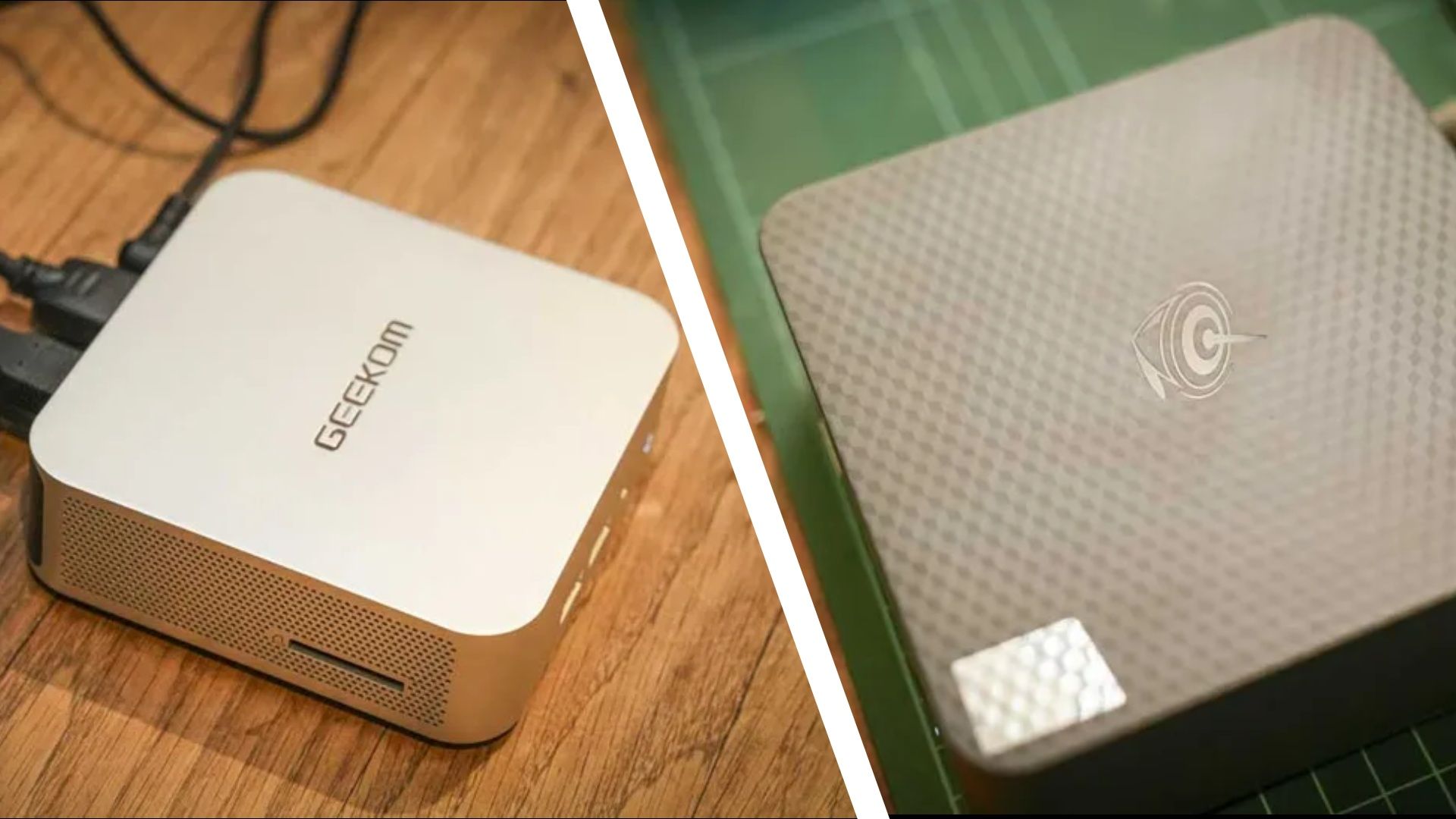
So, I’ve rounded up some of my favorite mini PC deals, including the excellent Geekom A6 for $549 (was $649), and the recently reviewed Beelink EQi Wild Cat, now $469 (was $549), both scored 4.5 stars in our review, and both are discounted at Amazon.
Whether you need an inexpensive computer for homework and browsing or something more powerful for more demanding workloads and creative projects, these are the top mini PCs you can get for less than $600 right now.
Top mini PC deals under $600
Why we recommend these mini PCs for work and study
These five hand-picked mini PCs cover a surprisingly broad range of needs, from an inexpensive back-to-school computer to something capable of handling more demanding creative work.
The Geekom A6 is one of the strongest all-rounders, combining a Ryzen 7 6800H with Radeon 680M graphics, USB4 and support for four 4K displays. Its upgradable memory and storage also give it plenty of room to grow. In his four-and-a-half-star review, our expert Alastair said it: “packs in an impressive amount of power, which is more than enough to handle MS Office and light use of Adobe Creative Suite Apps.”
The Minisforum UM760 Slim is similarly capable, with a newer Ryzen 5 7640HS and Radeon 760M graphics making it a good option for productivity, creative work and some lighter gaming.
For more straightforward school and office duties, the Geekom A5 provides 16GB of upgradable RAM and a large 1TB SSD, alongside useful extras such as six USB ports and an SD card reader. In his four-star review, expert Mark said it “delivers a thoughtful design that ticks most of the general usage boxes.”
The Beelink EQi takes another approach, combining Intel’s Wildcat Lake 304 processor with Thunderbolt 4 and triple 4K display support in a compact package. In his four-and-a-half-star review, Alastair said: “The EQi is highly tuned to an office environment,” adding, “when opening Microsoft Office, Lightroom, and browsing the internet, the speed was surprisingly sharp. The strength of this machine comes in day-to-day office work, where it excels.”
Finally, the GMKtec M5 Ultra, with its eight-core Ryzen 7 7730U, dual 2.5GbE ports and triple-display support make it particularly useful for productivity, networking and home-office setups. In his four-star review, Mark said: “it supports a decent amount of memory, has dual M.2 slots and dual 2.5GbE LAN ports, which increases the number of roles that this system could occupy exponentially.”
For more top-tested machines, see our guide to the best mini PCs. We’ve also selected the best mini PC deals this week.
Should you buy a mini PC?
✅ Buy one of these mini PCs if…
You want an affordable back-to-school computer that will spend most of its life on a desk. All five of my top picks are compact enough for a bedroom, dorm room or small study area, and you can pair them with the monitor, keyboard and mouse of your choice.
There’s also enough variety here to match the machine to your workload. The Geekom A5 and Beelink EQi cover everyday studying and productivity, while the Minisforum UM760 Slim and Geekom A6 provide more performance for demanding work and even some light gaming. The GMKtec M5 Ultra is great for multitasking.
❌ Skip these mini PCs if…
You need a computer you can carry between home, school and lectures. These machines may be tiny, but you’ll still need a monitor, keyboard and mouse wherever you use them, making a laptop the obvious choice for mobile working.